
Wazobet iPhone App: Features and Benefits for Nigerian Users
Get to know the Wazobet iPhone app 📱 with easy installation, reliable payment options like ₦-based plans, secure betting, and top-notch Nigerian customer support. 🎯
Edited By
Amaka Umeh
Wazobet is fast gaining traction among Nigerian iPhone users who enjoy online sports betting and casino gaming. The app offers an easy way to place bets on local and international football matches, basketball games, and other popular sports without the hassle of using a desktop. For young professionals, students, traders, and entrepreneurs who value convenience and speed, Wazobet delivers a smooth experience tailored specifically for the Nigerian market.
Using Wazobet on your iPhone means you can make deposits and withdrawals in naira, leveraging popular payment methods that locals trust. These include bank transfers, USSD codes (like *737#), and mobile wallets such as OPay and PalmPay. This localised integration prevents delays common with foreign platforms and avoids costly currency conversions.
Designed to run efficiently even on mid-range iPhones, the app ensures minimal data use and fast load times – a key advantage given Nigeria’s fluctuating network quality in many areas. The user interface is also built with simplicity in mind, so even if it’s your first time trying a betting app, you won't get lost navigating dozens of menus.
Nigerian users should always verify that they're downloading the official Wazobet app from trusted sources like the Apple App Store or the Wazobet official website to avoid counterfeit versions that jeopardise security.
Security is a big focus. The app employs encryption and two-factor authentication options to protect your account and funds. In addition, Wazobet complies with Nigeria’s digital gambling regulations, creating a safer gambling environment.
Whether you want to bet on the Super Eagles’ next match or try your luck with virtual casino games, this guide will walk you through the essentials. From downloading and installing on iPhone to understanding the payment options, security tips, and customer support, we've covered everything Nigerian users need to make the most out of Wazobet.
Let's start by looking at how to get the app ready on your iPhone for a hassle-free betting experience.
Starting out with Wazobet on your iPhone sets the foundation for a smooth betting journey. This phase is vital because it ensures your device supports the app, the installation goes well, and your account is set up correctly. For Nigerian users, these steps help avoid common pitfalls, like compatibility problems or verification delays, enabling you to place bets without hassle.
Before downloading, confirm your iPhone runs iOS 12.0 or later, as Wazobet requires these versions for smooth functioning. If your device runs an older iOS, features may malfunction or the app might not install at all. For example, older iPhone 6 users might need to update their OS or consider upgrading to enjoy seamless betting.
Begin by visiting the official Wazobet website or the Apple App Store to locate the app. Tap ‘Get’ then ‘Install’, entering your Apple ID password or using Face ID/Touch ID for confirmation. After download, open the app and allow necessary permissions, such as notifications, which keep you updated on bets and results. This straightforward process helps you access Nigeria’s popular betting options from your iPhone effortlessly.
If the app doesn’t download, check your iPhone’s storage; insufficient space is a common blocker. Also, stable internet—WiFi or mobile data—is critical. Sometimes, App Store settings restrict downloads over mobile data, so tweak these under Settings > App Store. If you run into persistent failures, restarting your device or signing out and back into your Apple account often resolves the hiccup. Keeping your OS updated also reduces such problems.
Once installed, tap ‘Sign Up’ and enter your basic details: name, email, phone number, and preferred currency (₦). The app guides you through setting a username and password. This step is the gateway to enjoying Wazobet’s varied markets, so accuracy here avoids verification delays.
Wazobet requires identity confirmation to meet Nigerian regulations and prevent fraud. Use your National Identification Number (NIN) or Bank Verification Number (BVN) during the verification step. This process may involve uploading a photo of your ID and a selfie for facial recognition. Completing this swiftly ensures you meet withdrawal requirements without unnecessary waiting.
Security is key when dealing with real money. Choose a strong password—mix letters, numbers, and symbols—and enable two-factor authentication if available. Write your credentials down somewhere safe or use a reliable password manager. This protects your funds and personal data, giving peace of mind as you enjoy the Wazobet app.
Remember, a proper start with Wazobet on your iPhone combines technical readiness with thorough account setup, ensuring you place bets effortlessly and securely from anywhere in Nigeria.
Knowing what the Wazobet app offers on iPhone is key to making the most of your betting experience. This section breaks down the app's features to help you navigate it easily and choose the best options for your interests. Understanding these features ensures you don’t miss out on earning chances or running into unnecessary issues.
The Wazobet app’s interface fits the iPhone screen perfectly, making everything clear and easy to use. Whether you have an iPhone 11 or the latest iPhone 14 Pro Max, the app adjusts to your display, avoiding awkward zoom or clipping. This means placing bets or checking odds doesn’t feel like a struggle — it’s straightforward and quick.
Wazobet groups its betting markets into clear categories so you won’t waste time scrolling endlessly. From football leagues like the NPFL and English Premier League to less common sports, you can jump from one market to another with a simple tap. This functional menu arrangement helps you spot great betting opportunities fast, especially during packed matchdays.
You can tweak the app settings to suit your style. Things like notification preferences, odds format (decimal or fractional), and default markets can all be set up easily on your iPhone. This personalisation means you avoid unwanted alerts and keep your betting dashboard relevant to what you enjoy, giving you a more focused and hassle-free experience.
Football stays king in Nigeria, and Wazobet mirrors that by offering plenty of markets on local and international matches. Besides outright win bets, you get handicaps, over/under goals, and correct scores. Basketball, tennis, and even boxing are also options, catering to varied tastes across Nigerian states where these sports have strong followings.
Wazobet comes with in-play betting, letting you place bets as matches unfold. For example, during a Nigerian Professional Football League (NPFL) game, you might bet on the next goal scorer or the match result after halftime. This makes the app exciting, especially when watching games at a bar or from home, keeping the adrenaline pumping.
Apart from traditional sports, Wazobet offers virtual sports like simulated football and horse racing. These run 24/7, so you can place bets even when actual matches are scarce. It’s useful during lull periods or when you want quick results, helping you stay engaged without needing to wait for scheduled games.
Taking full advantage of Wazobet’s iPhone app features improves your betting chances and enjoyment. Whether you’re a casual player or a serious bettor, these tools are designed to fit Nigerian preferences and the realities of mobile betting.
Handling payments and withdrawals smoothly on the Wazobet app is vital for Nigerian users who demand quick and secure transactions. Betting is only enjoyable when adding funds and cashing out winnings is straightforward and reliable. This section breaks down the practical steps and key details you need to know to manage your money efficiently on your iPhone.
Wazobet supports popular Nigerian payment methods to make funding your account easy. You can use USSD codes—ideal if you don't want to download extra apps—by dialling the code that links your bank account directly. Bank transfers work too, especially if you prefer online banking via apps like GTBank or Zenith Bank. On top of these, popular e-wallets like OPay and PalmPay let you deposit instantly with minimal fuss.
These options are important because they cater to different preferences and help avoid issues often faced by Nigerian users, like erratic internet or limited access to card payments. For example, a student in Lagos might find USSD easy to use on a basic phone, while an entrepreneur in Abuja might prefer e-wallet transfers for speed.
To add funds, open the Wazobet app and go to the deposit section. Choose your preferred payment method—say USSD—then enter the amount you want to fund. The app will provide a code or prompt you to complete the transaction through your bank's USSD menu or e-wallet app. Confirm the payment, and the amount should reflect in your Wazobet balance within minutes.
The straightforward steps reduce the headaches often linked to online payments in Nigeria. Wazobet’s design minimises incorrect entries and provides clear instructions, which helps especially those new to online betting.
Most deposits on Wazobet carry zero or very low transaction fees, depending on your bank or wallet provider. USSD deposits typically do not incur extra charges, but bank transfers may attract slight fees based on your bank’s policy. Processing times are generally quick—usually instant or within a few minutes—allowing you to start betting right away.
This speed is crucial during live betting where delays could cost potential winnings. However, always check your bank’s or e-wallet’s terms, as occasional delays or fees might apply.
Withdrawing your winnings is just as simple. Inside the app, head to the withdrawal section, enter the amount you want to cash out, and select your withdrawal method. This is usually your registered bank account or e-wallet. Submit the request and wait for the system to process it. The app keeps you informed of each step, helping you track when the money reaches your account.
This convenience is especially helpful for busy professionals who can’t visit physical betting locations. It empowers you to manage earnings anytime, anywhere.
To safeguard your funds and comply with Nigerian regulations, Wazobet requires identity verification before processing withdrawals. This usually involves confirming your BVN (Bank Verification Number) or NIN (National Identification Number). Uploading the right documents via the app is straightforward and only takes a few minutes.
Verification prevents fraud and protects users from identity theft. Many Nigerians already use BVN for banking, so this step aligns well with existing financial security practices.
Withdrawals on Wazobet come with daily and weekly limits to encourage responsible betting. For example, you might be allowed to withdraw between ₦10,000 and ₦1,000,000 daily, depending on your betting history and verification status. Withdrawals usually take from a few minutes up to 24 hours to process, depending on your chosen method and bank.
These limits help you manage betting activities while ensuring the app complies with Nigerian legal standards. Knowing the timelines means you avoid surprises when you need your funds urgently.
Managing payments and withdrawals effectively on Wazobet’s iPhone app means you can focus on enjoying betting without worrying about hidden fees, delays, or safety risks. Follow the steps here, and you’ll spend less time handling money and more time placing winning bets.
Security and fairness form the backbone of any trustworthy betting platform. For Nigerian users of the Wazobet app on iPhone, understanding how these elements are managed gives confidence to place bets without fear of fraud or unfair practices. Ensuring your data is safe and that games run fairly protects your funds and enjoyment.
Wazobet uses strong encryption protocols to secure data transmitted between your iPhone and their servers. This means your personal information, such as bank details, National Identification Number (NIN), or Bank Verification Number (BVN), is protected from interception. For example, when you fund your account or request withdrawal, the data travels through encrypted channels, shielding it from hackers often lurking in unsecured public Wi-Fi hotspots common in busy areas like Lagos or Abuja.
The app encourages setting up strong, unique passwords combined with two-factor authentication (2FA). This extra layer requires a one-time code sent to your phone or email before login, making it harder for unauthorised access. If you store your BVN-linked bank cards with the app, these safety measures become even more crucial, preventing unauthorised withdrawals even if your phone gets lost or stolen.
Wazobet provides easy access within the app to report suspicious transactions or login attempts. Once flagged, their security team investigates swiftly to prevent potential fraud or hacking attempts. For instance, if you notice unfamiliar bets placed or sudden changes to your account details, reporting immediately could freeze the account and avoid loss. This responsive approach helps maintain trust.
Wazobet operates under licensing from reputable gambling regulators, such as the Lagos State Lotteries Board or the National Lottery Regulatory Commission, ensuring compliance with Nigerian laws. These bodies check that the company runs its operations transparently and pays out winnings promptly. Knowing the platform is licensed offers Nigerian users a formal guarantee of legitimacy.
To ensure honest gaming, Wazobet uses certified Random Number Generators (RNGs). These algorithms produce unpredictable outcomes for bets like virtual sports or slot games. RNG certification means users can trust the results are not rigged. For example, if you bet on virtual football, the app’s RNG ensures each match result is independent and random, much like real sports unpredictability.
The app clearly outlines users’ rights, including dispute resolution procedures in case of disagreements over bet settlements or withdrawal delays. Nigerian customers can access support channels to escalate complaints, with regulators ready to step in if needed. This framework protects bettors from unfair treatment, ensuring issues are addressed fairly and promptly.
Security and fairness protocols are not just technical features but practical safeguards encouraging you to enjoy the Wazobet app confidently on your iPhone, knowing your funds and personal data are well protected.
Getting the most out of the Wazobet app on your iPhone depends heavily on how well you manage its performance and control your betting habits. With limited storage space and varying internet quality across Nigeria, boosting app stability means smoother gameplay and fewer frustrations. Equally important is knowing how to set responsible betting limits to keep your activity fun and safe.
The Wazobet app requires regular updates to fix bugs and improve features. Since iPhones often have limited storage, especially older models, it’s wise to clear unused apps and files routinely. This ensures enough space for the app's updates, avoiding interruptions or crashes during betting sessions. For instance, if your iPhone shows storage almost full, try deleting old photos or apps you no longer use before updating Wazobet.
A steady internet connection is vital for uninterrupted betting, live odds updates, and quick deposits or withdrawals. Mobile networks can be patchy in some areas, so connecting to a stable Wi-Fi source or choosing a data plan with good coverage will minimise lag. If you’re in Lagos traffic, for example, a reliable mobile network like MTN or Airtel might keep your bets updating in real time, reducing the chance of missing crucial moments.
If the app crashes frequently or freezes, begin by closing other background apps to free up memory. Restarting your iPhone can also clear minor glitches. Should problems persist, uninstalling and reinstalling Wazobet often solves deeper issues. Keeping the app and your iOS updated protects against bugs that could disrupt your betting.
Wazobet provides settings to limit daily or weekly bets, deposit amounts, or losses, helping you keep your gambling in check. Activating these controls prevents impulsive betting, which can be costly. For example, setting a maximum daily spend ensures you won’t go over budget even on compelling matches during the ember months.
Being aware of signs like chasing losses, betting beyond means, or feeling stressed about bets helps nip issues early. If you notice constant thoughts about betting or borrowing money to play, it’s time to pause and assess your habits. Early recognition keeps control and prevents harm.
If betting starts to affect your personal life or finances, several Nigerian organisations offer confidential help. Contacting groups like the Nigerian Responsible Gambling Association or healthcare professionals can guide you back to safe play. Wazobet also links users to support resources right in the app, making help accessible without stigma.
Managing your betting through app optimisation and responsible limits not only enhances your experience but also protects your wellbeing. It’s a balance every serious bettor should aim for.
When using the Wazobet app on your iPhone, knowing how to get timely assistance can save you plenty of stress. Whether you’re facing technical hitches, have questions about betting rules, or need help with your account, customer support plays a vital role. Nigerians often juggle busy schedules, so clear, easily accessible support channels on the app ensure you don’t waste time or miss out on opportunities.
Wazobet provides several ways to reach their customer care directly within the iPhone app. These include live chat, email support, and a dedicated phone line. The live chat feature is especially handy for quick questions or issues while you’re navigating the app. Meanwhile, email works better for more detailed matters requiring documentation or when a longer response time is acceptable.
Response time varies depending on the channel you use. Live chat agents usually reply within minutes during business hours, which suits urgent queries like payment glitches or betting market clarifications. Emails might take up to 24 hours, so it’s best for non-urgent issues. Phone support offers direct communication but can sometimes involve waiting during peak hours, especially in periods of heavy betting activity like the weekend football matches.
To speed up resolutions, always have vital information at hand before reaching out. This includes your Wazobet username, details of the issue (such as the bet ID or transaction number), screenshots if possible, and your device details including iPhone model and iOS version. Being ready with these points helps customer service pinpoint the problem faster, cutting down back-and-forth exchanges.
Online betting in Nigeria is regulated by bodies like the National Lottery Regulatory Commission and the Lagos State Lotteries Board. The rules mainly cover licensing, operator conduct, and consumer protection. For instance, operators must verify users’ identities using BVN or NIN to reduce fraud. Understanding these laws protects you from using unlicensed platforms that might not honour winnings.
As a Wazobet user, you have rights including clear information on betting rules, fair payout procedures, and access to dispute resolution mechanisms. If a dispute arises over a bet, you can report it to Wazobet’s support or escalate it to regulatory authorities. Always keep records of bets and transactions to back your claims.
Regulations and policies around online betting can change, so staying updated is crucial. You can check official channels like the websites or social media of Nigeria’s Lottery Commission and Lagos State Lotteries Board for announcements. Wazobet also communicates important updates through in-app notifications and emails, helping you stay informed without hassle.
Effective customer support backed by clear local regulations makes betting on Wazobet safer and smoother. Knowing where to get help and staying within the legal framework protects your funds and enjoyment on the app.
Get to know the Wazobet iPhone app 📱 with easy installation, reliable payment options like ₦-based plans, secure betting, and top-notch Nigerian customer support. 🎯
🔐 Learn how to sign in to Wazobet easily with this practical guide for Nigerian users. Get tips on account security, troubleshoot common problems, and explore platform features smoothly.

🎯 Need a smooth way to access Wazobet Nigeria? This guide covers login steps, password resets, and security tips to keep your account safe and bets secure. 🔒📱
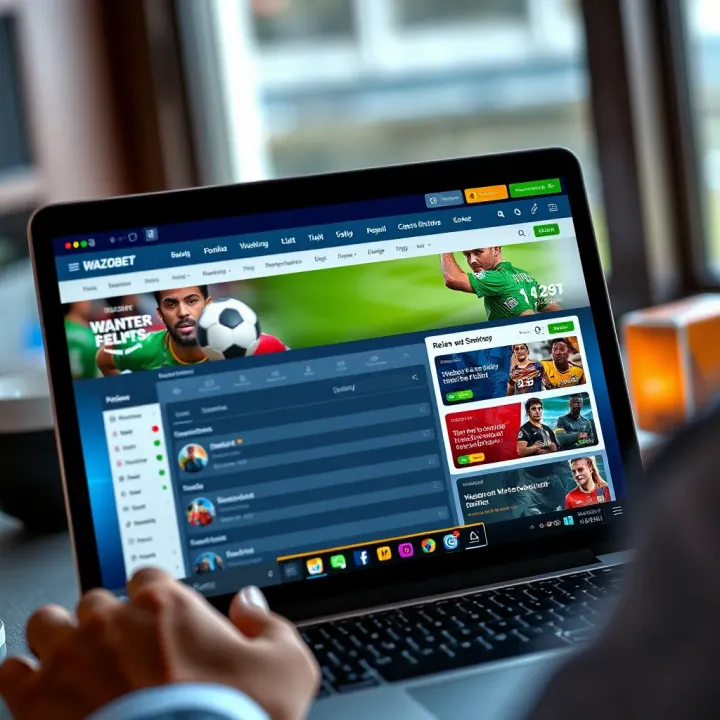
Discover how to fund your Wazobet account easily using crypto 🚀. Step-by-step guide for Nigerian users on deposits, fees, security, and common hurdles.
Based on 6 reviews